Windows Image Acquisition, or WIA, is an operating-system framework for communicating with imaging equipment such as scanners. It provides a common way for compatible applications to request images and negotiate supported acquisition properties.
How the pieces connect
The framework separates application-facing operations from the component that understands a particular device. Properties can describe a source, sampling resolution, color mode, and other capture choices. The controls an application displays are a combination of its own interface and the capabilities exposed through the installed imaging components, not simply a mirror of the device's front panel.
An everyday example
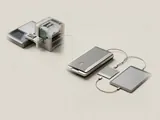
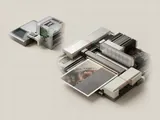
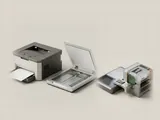
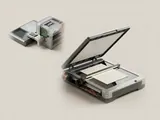
A basic scanning application may offer a small set of options while another program exposes more of the same equipment's capabilities. The difference can come from the application's use of the framework rather than a different optical sensor. A multifunction enclosure can also have a working print queue while its acquisition interface is represented separately in the system.
Reading the information in context
WIA is not a document format or a promise that every imaging program can use every scanner. Network transport, device assistance, and operating-system compatibility still matter. When a model lists several acquisition interfaces, consult its reference documentation to understand the intended application path. Do not infer package compatibility merely because a program contains a Scan button.
Printers & Scanners
Note these before you change anything
Useful facts to have to hand while reading about windows image acquisition.
- Printer queue name and the port it uses
- Driver name: a built-in class driver or the maker's
- Whether the printer is reached by USB, IP address or name
- Default paper size and tray
Printers & Scanners: One common printing path (scanning runs the other way)
- Applicationsends a print job
- Print systemqueues and renders
- Printer driverbuilt-in class or vendor
- ConnectionUSB or network
- Printerproduces the page