A concise reading overview: the essentials of this driver type on one page. The full setup, troubleshooting and update guides apply here too.
What this section covers
Pairing, connection and device profiles. This concise reading overview identifies the layers to examine and links to relevant inspection guides. It does not replace model-specific instructions or establish which package your own device requires.
What to distinguish in bluetooth
Wireless pairing, an active connection and usable sound or input are different states. A device can remember several hosts yet connect to only one at a time. The radio, operating-system components and the peripheral's profiles all matter. Successful pairing alone does not establish that every feature is available on the current host.
Before changing bluetooth configuration
For bluetooth, start with the connected hardware and its current operating-system version. Inspect the relevant built-in device information, then write down the actual symptom and any recent change. A warning symbol, an unfamiliar package name or an older-looking date is not enough to choose a replacement. The linked reading explains checks you can make without treating a visible label as a diagnosis.
Any bluetooth update or removal can affect functions you are using. Read the applicable manufacturer procedure and recovery requirements before making that change. On a managed system, ask the administrator about policy instead of forcing an unavailable setting.
Bluetooth
Check the simple causes too
On combined Wi-Fi and Bluetooth cards the two drivers may come in one package or separately; follow the card or computer maker's listing.
- A flat accessory battery, the device still connected to a phone, distance or interference, airplane mode, or a pairing record that needs removing and re-pairing.
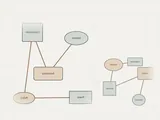
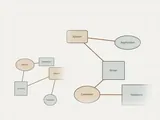
Bluetooth: Using a paired device
- Applicationuses a device
- Bluetooth stackprofiles and pairing
- Radio drivercontroller interface
- Bluetooth radiosometimes on the Wi-Fi card
- Deviceheadset, mouse or phone
Field notes
Bluetooth driver overview: field notes
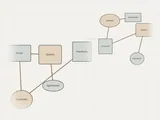
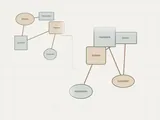
Bluetooth: Using a paired device
- Applicationuses a device
- Bluetooth stackprofiles and pairing
- Radio drivercontroller interface
- Bluetooth radiosometimes on the Wi-Fi card
- Deviceheadset, mouse or phone
Write these down first
- Paired devices and what they are used for
- Radio driver version, and whether the radio shares a card with Wi-Fi
- Whether the device pairs with another computer or phone
- Power-saving settings on the radio
Clues, not a diagnosis
Might involve the driver: The Bluetooth toggle missing, pairing failing for every device, or drops that start after sleep.
Check these too: A flat accessory battery, the device still connected to a phone, distance or interference, airplane mode, or a pairing record that needs removing and re-pairing.
Where updates usually come from
On combined Wi-Fi and Bluetooth cards the two drivers may come in one package or separately; follow the card or computer maker's listing.
Keep reading