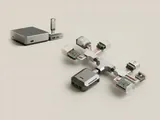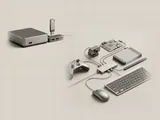
Connecting or removing a USB accessory changes the topology the host observes. The operating system responds by discovering functions, starting or stopping software paths, and updating the inventory presented to applications.
How the pieces connect
A connection event begins a sequence rather than instantly making every function available. The host reads descriptors, selects an appropriate configuration, and associates relevant components. Removal requires the system to stop using a path that may have active work. Power-state transitions can also affect whether an interface is currently responsive without physically removing its connector.
An everyday example
A newly connected accessory may appear through several entries as its functions become available. A disconnected device can remain as a remembered instance in an information view. Those records describe different moments or roles; they do not all represent equipment that is currently active on the bus.
Reading the information in context
For storage equipment, safe removal includes coordination of outstanding data operations and should be understood separately from merely unplugging an idle-looking cable. Follow manufacturer documentation for the actual device. This site does not monitor connection events in the browser or ask readers to disconnect equipment as a diagnostic exercise; it explains what the operating system's inventory can represent.
USB & Peripherals
Note these before you change anything
Useful facts to have to hand while reading about usb connection and removal events.
- Which port the device was in, and whether a hub is involved
- The device's name and status in Device Manager
- Power management settings on USB root hubs
- Any companion software the device relies on
USB & Peripherals: Input from a device (output devices run the other way)
- Devicekeyboard, mouse or pad
- Port or hubphysical connection
- Host controllermanages the bus
- Class driverfor example HID
- Applicationreceives the input