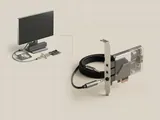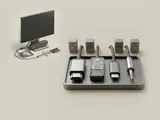
Digital display connections can carry audio alongside video. A monitor, television, or receiver can consequently appear as a playback destination even when the computer also has built-in speakers or a separate sound interface.
How the pieces connect
The display path reports capabilities that help the source select supported formats. Graphics-related components may participate in exposing the audio function because the transport is part of the display connection. The destination can decode or forward the stream depending on its design. Video visibility and audio routing remain separate aspects of the complete link.
An everyday example
Connecting a display can add a new output entry that an application or system policy may select. A monitor without usable speakers might still participate in an audio path through a headphone output or another supported arrangement. Observing a new endpoint therefore says something about the reported interface, not necessarily about where sound will be physically produced.
Reading the information in context
Adapters, receivers, and multi-display arrangements can affect capability reporting. The presence of an image does not establish that the chosen audio format is supported end to end. Read the documentation for the complete connection chain. Do not interpret a graphics-associated sound entry as a duplicate that should be removed solely because another audio controller also exists.
Audio
Note these before you change anything
Useful facts to have to hand while reading about audio over display connections.
- The default playback and recording devices
- Sample rate and bit depth in the device properties
- Enabled enhancements or spatial sound
- Driver name and version, and whether it is a built-in class driver or a vendor one
Audio: Playback (output); recording runs the other way
- Applicationplays a stream
- Audio enginemixes and resamples
- Audio driverbuilt-in class or vendor
- Codec or DACconverts digital to analogue
- Speakers or headphonesanalogue or USB