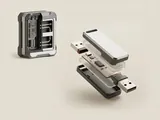
An interface groups a device function, while an endpoint provides a communication channel within the USB model. Neither term should automatically be interpreted as a physical socket on the accessory.
How the pieces connect
Endpoints have properties such as direction and transfer type, and the host schedules communication according to the relevant arrangement. An interface can use several endpoints for its work. Alternate settings can offer different supported configurations of a function. The descriptor hierarchy expresses these relationships before an application receives the function through a higher-level operating-system interface.
An everyday example
An audio function can need channels for sample transfer and related information, while an input function reports button or pointer data through a different arrangement. Both may live inside one enclosure and share one upstream connection. Counting endpoints therefore does not tell you how many physical ports or accessories are present.
Reading the information in context
Transfer types describe scheduling and delivery properties rather than a universal ranking from slow to fast. The needs of audio, storage, and input differ. Use the relevant class and device documentation to interpret the exact arrangement. This site supplies conceptual explanations only and does not send control requests, modify configurations, or expose attached equipment to web applications.
USB & Peripherals
Note these before you change anything
Useful facts to have to hand while reading about usb interfaces and endpoints.
- Which port the device was in, and whether a hub is involved
- The device's name and status in Device Manager
- Power management settings on USB root hubs
- Any companion software the device relies on
USB & Peripherals: Input from a device (output devices run the other way)
- Devicekeyboard, mouse or pad
- Port or hubphysical connection
- Host controllermanages the bus
- Class driverfor example HID
- Applicationreceives the input