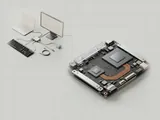
A USB-C dock can combine several functions behind one connector, including USB expansion, display output, networking, and charging. The connector's shape does not guarantee that every connected computer supports every function.
How the pieces connect
Data traffic may use USB, display output may use an alternate mode or another supported display mechanism, and power delivery involves its own negotiation. A dock can include several internal controllers. Windows may therefore enumerate a hub, an audio endpoint, and a network adapter independently even though the user connected a single cable.
An everyday example
A dock's keyboard ports could be available while its display path is not supported by a particular host connection. Charging power can also be constrained by the supply, cable, and computer's negotiated limit. These differences do not contradict the fact that the connectors fit together; they show that mechanical compatibility and protocol capabilities are separate questions.
Reading the information in context
Check the manufacturer documentation for the full combination of host port, dock, cable, and displays. A single advertised maximum can depend on conditions not present in another setup. This library does not recommend replacing platform components with unrelated packages. Its purpose is to explain why each function should be described separately when reading a docking compatibility statement.
Laptops
Note these before you change anything
Useful facts to have to hand while reading about usb-c docks and multiple functions.
- Exact model and variant code from the underside label
- Firmware version
- The maker's driver package versions
- Which functions fail: hotkeys, touchpad gestures, sleep
Laptops: Selected laptop-specific layers
- Operating systempower and input
- Platform drivershotkeys, sensors, power
- Embedded controllerbattery and fans
- Integrated devicestouchpad, camera, keyboard
- Docks and portsUSB-C and similar