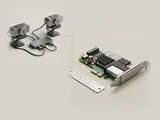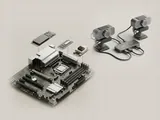
A device instance represents one occurrence of an enumerated device in the operating system's inventory. Its identity helps Windows maintain settings across discovery events while distinguishing similar units or connections.
How the pieces connect
The instance path combines information from an enumerator with details that make that occurrence distinguishable. Depending on the equipment, those details can involve a serial value or the topology of the connection. Moving an accessory can therefore affect how it is represented, even when the underlying model and compatible package remain unchanged.
An everyday example
Two identical input devices connected at once need separate inventory entries so their requests and settings can be managed independently. A serial-bearing accessory may preserve a stable identity across ports, while another design may be distinguished partly by its location. This explains why reconnecting equipment sometimes reveals an additional remembered instance rather than a different model.
Reading the information in context
An old instance can remain recorded after equipment is disconnected. Its presence is not evidence that the hardware is currently available or that its software is running. Instance paths can also carry more identifying detail than a hardware-ID family. Share them selectively, and do not treat a remembered entry as a reason to remove packages or change the registry.
Computer & System
Note these before you change anything
Useful facts to have to hand while reading about device instances and connection paths.
- Motherboard or computer model and firmware version
- Chipset driver package version
- Any firmware settings changed from defaults
- Unknown devices listed in Device Manager
Computer & System: One selected path: a device on a chipset bus
- Operating systemmanages devices
- Chipset driversidentify buses and power features
- ChipsetPCIe, USB and SATA links
- Firmware (UEFI)initialises hardware at start-up
- Attached deviceson those links