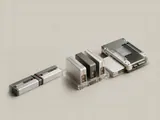
A partition describes a region within an addressable storage layout, while a volume is a logical unit the operating system can use. In simple arrangements they closely correspond, but the concepts are not universally identical.
How the pieces connect
Partition tables describe boundaries and types at one layer. A logical storage system can present volumes through additional mappings, including arrangements involving multiple regions or devices. A file system can then organize data within a usable volume. A drive letter is only one way Windows exposes that result to applications.
An everyday example
One physical device can hold an operating-system volume, a recovery region, and other reserved areas. A file browser may show only the mounted volume a person normally uses, while a management view displays more of the layout. The difference does not imply that the remaining areas are unused or safe to remove.
Reading the information in context
Names and counts should be interpreted at the layer where they were observed. Do not treat a missing drive letter as proof that a region has no purpose or contains no information. This library intentionally avoids destructive layout procedures. For a specific change to an existing system, the operating-system and computer maker's manufacturer documentation are necessary context.
Storage
Note these before you change anything
Useful facts to have to hand while reading about partitions and logical volumes.
- A current backup before any change
- Controller mode in firmware: AHCI, RAID or NVMe
- Storage controller driver name and version
- Drive health shown by the maker's own diagnostics
Storage: Reading and writing data
- File systemfiles and folders
- Storage stackvolumes and partitions
- Controller driverNVMe, AHCI or RAID
- Controlleron the board or a card
- DriveSSD or HDD