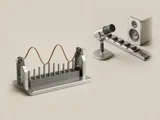
An audio endpoint is a source or destination that software can select for a stream. Playback endpoints receive sound data, while capture endpoints provide it, even when both belong to one physical accessory.
How the pieces connect
The operating system exposes endpoint identities and capabilities above the hardware-specific path. Applications can use a system default or retain a particular selection. Endpoint availability can change when equipment connects, disconnects, or changes operating mode. The selection therefore describes a software route, not simply whether a speaker is physically present nearby.
An everyday example
A headset may contribute separate playback and microphone entries, while a monitor connected digitally adds another output candidate. A conferencing program can choose the headset for conversation while a media application continues using a different destination. Both programs can be behaving according to their own selections rather than competing for a single universal sound device.
Reading the information in context
Friendly names are useful labels but can be duplicated or changed. They should be read alongside the connection and capabilities when distinguishing similar entries. A default-communications role may also differ from the ordinary playback default. This reference describes the model; it does not capture audio, enumerate your local endpoints, or change a device selection through the website.
Audio
Note these before you change anything
Useful facts to have to hand while reading about playback and recording endpoints.
- The default playback and recording devices
- Sample rate and bit depth in the device properties
- Enabled enhancements or spatial sound
- Driver name and version, and whether it is a built-in class driver or a vendor one
Audio: Playback (output); recording runs the other way
- Applicationplays a stream
- Audio enginemixes and resamples
- Audio driverbuilt-in class or vendor
- Codec or DACconverts digital to analogue
- Speakers or headphonesanalogue or USB