A useful driver record is a dated observation, not a score. Copy the version, provider and other relevant fields exactly as your system reports them, together with the device role and current operating-system version. That information can make a later comparison clearer, but different package branches may use different numbering conventions and a displayed date need not be the installation date. Keep the record private and focused; you do not need a full device report or personal serial number.
Identifying Core Hardware Metadata Components
Focusing on the specific version strings and timestamps provides the most reliable way to catalog hardware status. By prioritizing the provider identity alongside the version release date, you create a distinct signature for every peripheral interface. This approach removes ambiguity when multiple revisions exist, as the raw metadata remains tethered to the unique provider string rather than general software labels. Observing these fields closely during initial hardware setup prevents future confusion when checking if specific features or interface standards are active.
When documentation records rely on the metadata date, it is crucial to recognize that this date reflects the creation of the software package, not the time of its installation on your machine. Record the values reported for the relevant device; a version or provider alone does not establish that two packages are equivalent. Recording these details requires consistent formatting, such as standardizing how dates are written across your inventory, which simplifies the process of cross-referencing your local notes against the current active state of the hardware on your system.
Executing Consistent Manual Record Procedures
Systematic logging begins with accessing the properties window for a specific device through the primary hardware management interface. Copy the complete version string so the record can distinguish the reported revision without rounding or shortening it. Taking notes at the time of installation or when reviewing existing configurations provides a baseline that is disconnected from transient system states, ensuring your records remain stable even if the underlying software stack undergoes changes or component reinitialization occurs.
Documenting these values demands attention to detail because even small variations in a version string can signify different functional capabilities. Maintaining a personal archive of these logs offers a valuable reference point for long-term hardware monitoring. This task helps you understand which revision of a particular piece of hardware is active, allowing you to distinguish between older configurations and current ones effectively. This method maintains a clean, understandable history of your system hardware without relying on complex tracking software or external automation.
- Open the hardware management interface on your desktop operating system.
- Locate the specific peripheral component in the list provided.
- Right-click the component and select the properties menu item.
- Navigate to the tab labeled details or driver information.
- Copy the version number, the precise provider name, and the release date string into your personal notes.
Distinguishing Version Records Across Branches
It is common to encounter hardware software provided by different sources, even for the same peripheral. When recording these, you should avoid creating hierarchies or rankings based on which version seems more advanced. Instead, treat each record as a unique entry based on its provider and version identifier. This prevents the assumption that a higher number necessarily equates to better compatibility or stability, which can lead to misguided conclusions during technical review or hardware evaluation tasks.
Your private notes should capture the provider identity alongside the version. By treating these as separate, non-hierarchical entities, you maintain a clearer view of what is actually installed. If a device has versions from both generic and manufacturer-specific providers, documenting both separately provides a complete picture. This prevents you from assuming that one branch automatically supersedes another in terms of utility or necessity, allowing you to refer back to the exact version that previously demonstrated known operational characteristics.
Managing Private Notes Effectively
Private notes should focus on the facts provided by the OS interface rather than subjective evaluations of performance. A good practice involves creating a dedicated log for each device category, such as input peripherals or audio output components. Include the hardware identifier string, the exact version number, and the provider name. These notes serve as your primary source of truth, removing the need for broad diagnostic reports that often contain extraneous information or timestamps that do not help in identifying specific version releases.
When managing these logs, avoid including massive system reports that take up excess space and obscure relevant data. Keep the entries concise, noting the version, date, and provider on a single line for easy scanning. This minimalist approach makes it easier to track changes over time, as you can quickly see when a version shift occurs. Keep notes focused on the fields needed for this comparison and avoid sensitive identifiers.
Observing Metadata Against Real-Time Configurations
Observations of hardware metadata are snapshots of the current state. When checking your logs against the live hardware interface, confirm that the version and date shown on the screen match your previous records. If you notice a discrepancy, verify the provider name to ensure you are looking at the same package. This process of periodic verification helps confirm that no unexpected changes have occurred to the hardware software environment, reinforcing the accuracy of your personal documentation without needing to perform invasive diagnostic operations.
Consistent monitoring of these specific identifiers allows you to notice when a shift occurs, such as after an operating system update or internal hardware reset. By comparing the live metadata to your saved logs, you can identify precisely which version is currently active. This awareness is powerful for maintaining system predictability and allows you to make informed decisions about your configuration. A record documents an observation at a particular time; it is not a complete trace of every component loaded by the system.
USB & Peripherals
Note these before you change anything
Useful facts to have to hand while reading about recording driver versions and dates.
- Which port the device was in, and whether a hub is involved
- The device's name and status in Device Manager
- Power management settings on USB root hubs
- Any companion software the device relies on
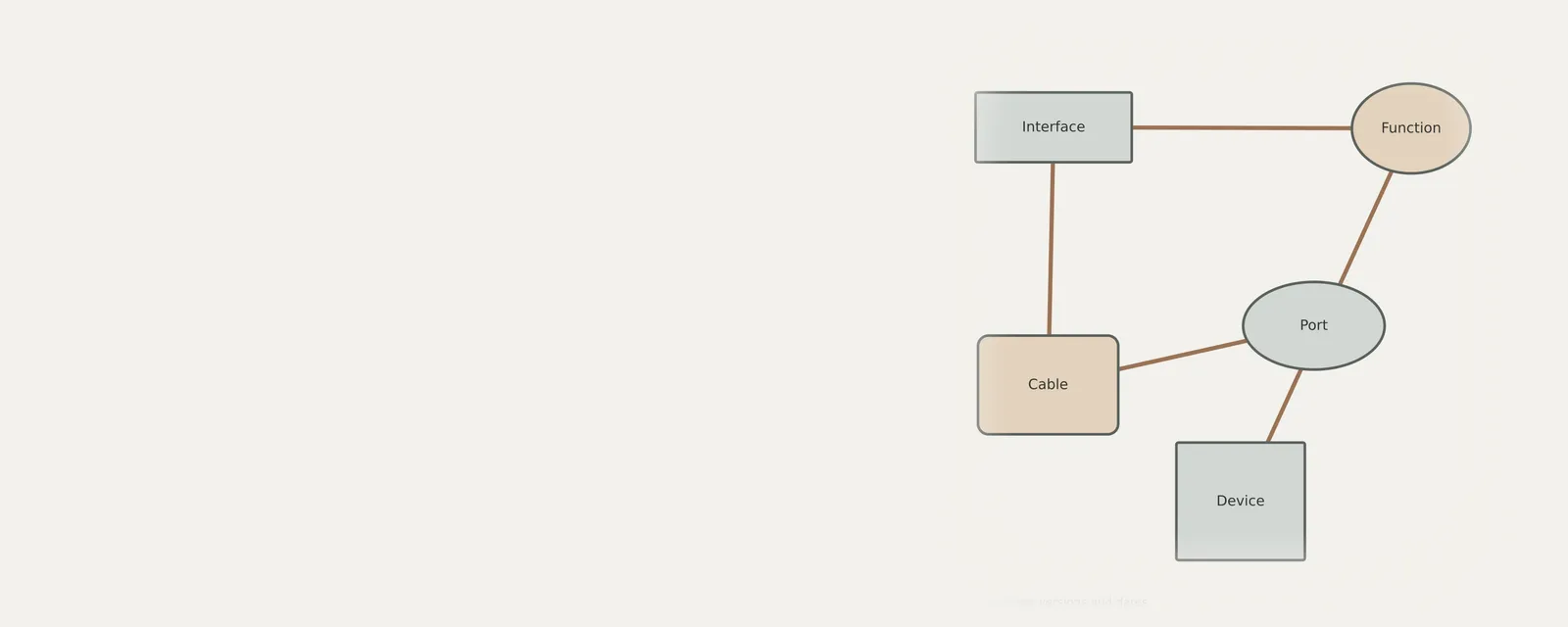
USB & Peripherals: Input from a device (output devices run the other way)
- Devicekeyboard, mouse or pad
- Port or hubphysical connection
- Host controllermanages the bus
- Class driverfor example HID
- Applicationreceives the input
Frequently asked questions
Why should I record the provider name with the version?
Recording the provider is essential because different entities may release different software versions for the same hardware. Distinguishing the provider helps you identify which specific source issued the release, preventing confusion when comparing version strings across your records or when identifying the origin of a particular software update.
Does the metadata date represent when I installed the hardware?
No, the metadata date typically refers to when the software package was created or released by the provider. It is distinct from your installation date. Recording this metadata date allows you to track the age and release cycle of the specific component version rather than the date of local system integration.
Should I rank version numbers to see which is best?
You should not attempt to rank versions. Higher numbers or more recent dates do not guarantee better operation for your specific setup. Treat each version as a distinct record associated with a specific provider, noting the facts provided by the system interface rather than applying subjective quality rankings.
What is the best way to maintain these notes?
The best approach is to keep a concise, manual log for each peripheral. List the hardware name, the exact version string, the provider, and the metadata date. Plain structured notes are useful for comparison, but can become stale and need their observation date.